BUSINESS COMMUNICATION
One message. Everyone who needs to know.
New safety guidelines, changes to processes or important customer updates: organize recipients, review your message and send it with confidence.
Organize contactsReview before sendingTrack sending status
THE CHALLENGE
When important information needs to reach many people
Imagine new safety guidelines take effect at your company next month. Everyone affected needs to be informed in time.
Email addresses already exist in a file. Some people belong to multiple groups. And the message needs to be checked before it goes out.
Instead of copying addresses into one email and hoping for the best, use a clear process from contact list to recipient overview.
01 / IMPORT CONTACTS
Use existing contact data instead of starting from scratch
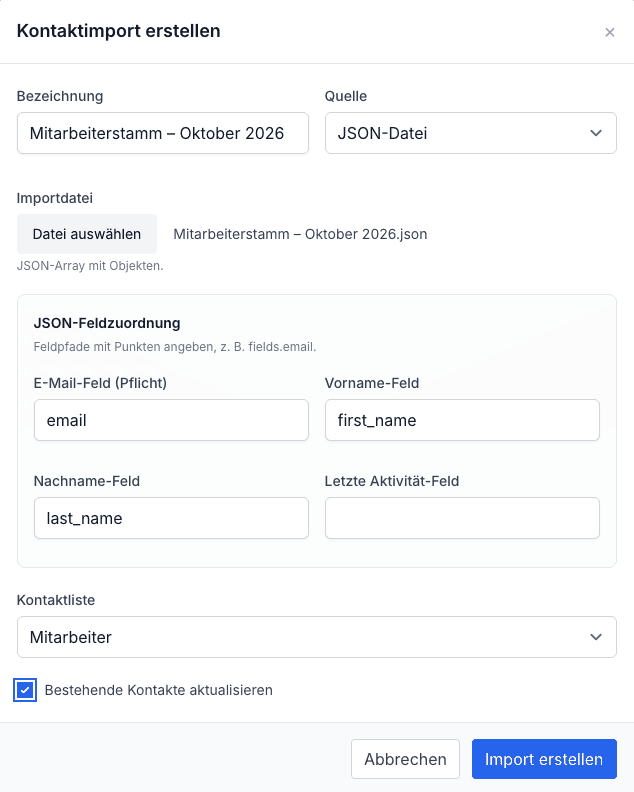
Import contacts from a JSON file and map the email, first-name and last-name fields. Assign imported contacts to a list and optionally update existing records.
02 / ORGANIZE RECIPIENTS
The right message for the right group
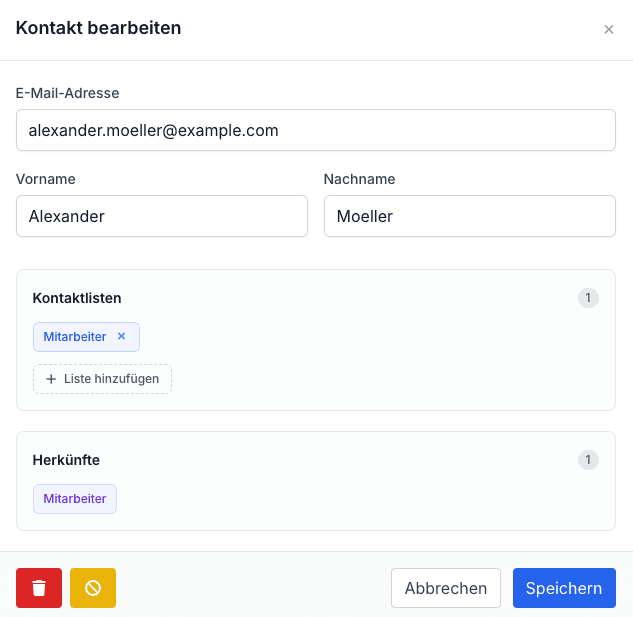
Manage contacts in lists for employees, teams or customers. Add or remove list memberships directly in the contact dialog while keeping the original source visible.
03 / SEND WITH CONTROL
Review first. Send second.
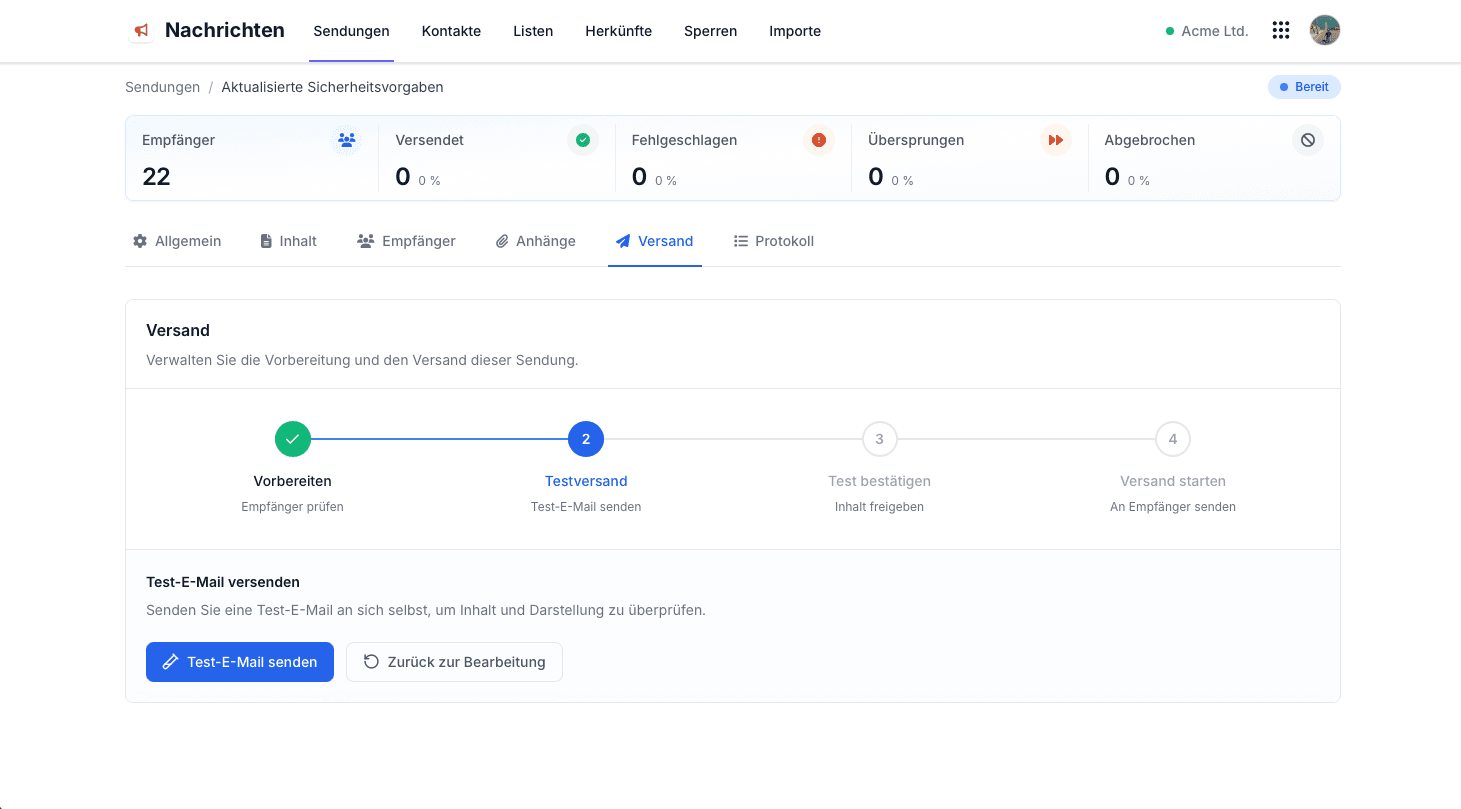
An extra review step matters when messages are important. Flowtig Messaging guides you from preparation and a test email through approval and final sending.
01
Prepare
Check recipients and prepare the send.
02
Send a test
Send a test email to yourself.
03
Confirm
Approve the reviewed content.
04
Send
Send the message to recipients.
04 / KEEP AN OVERVIEW
Know what happens after sending starts
See recipients in one overview and find individual contacts with search and filters. Sending statuses such as pending, sent, failed or skipped help you understand progress.
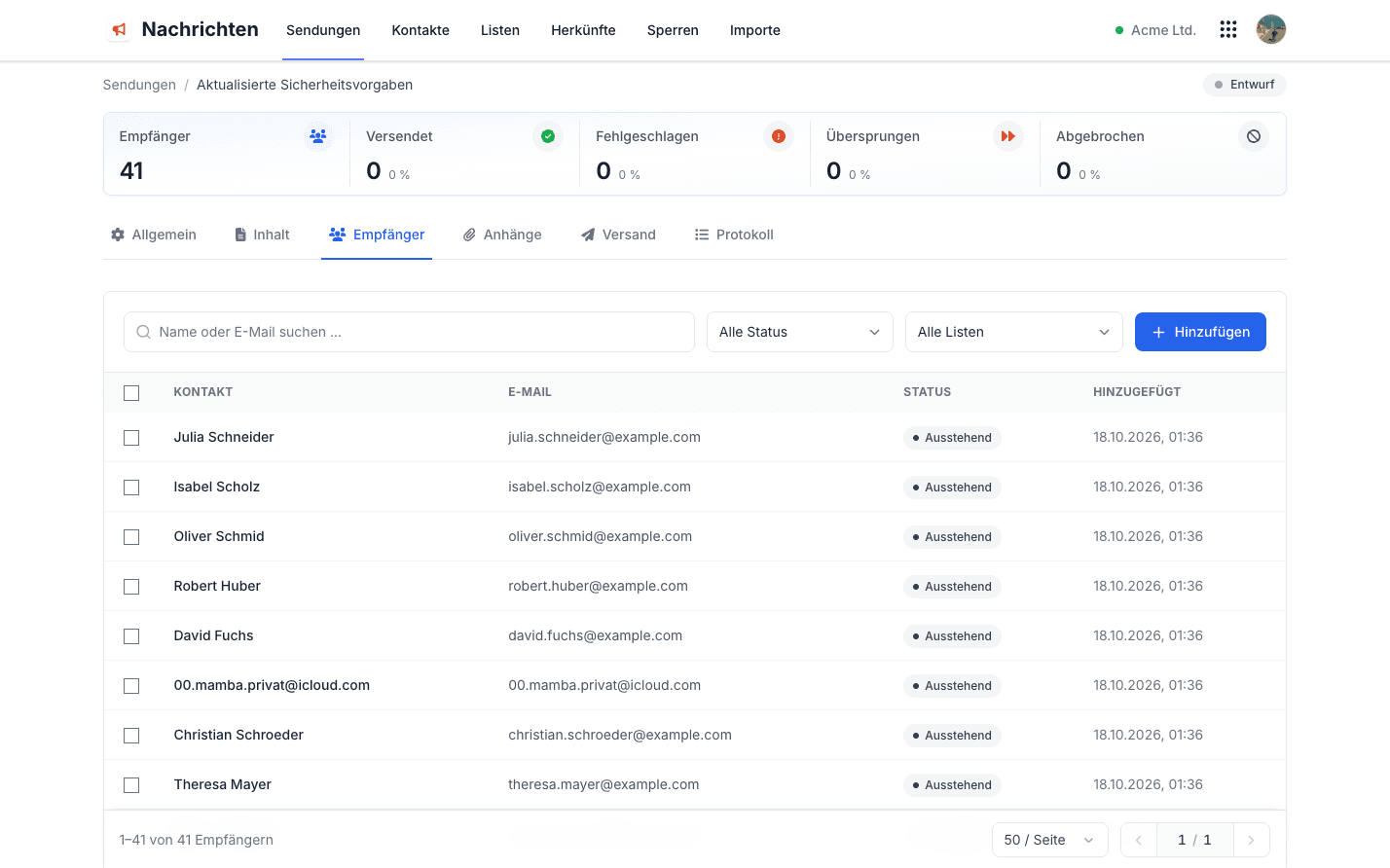
Sending status reflects delivery processing, not whether an email was read.
USE IT IN MANY SITUATIONS
When many people need the same information
The same process works for many everyday business updates, not just our safety-guideline example.
01
Safety guidelines
Inform employees about new rules or protective measures.
02
Maintenance notices
Tell affected contacts about planned maintenance.
03
Operational changes
Communicate changes to processes, responsibilities or opening hours.
04
Service updates
Inform customers about relevant changes or service limitations.
Note: Whether an email may be sent depends on its content, purpose and applicable legal requirements.
FLOWTIG MESSAGING
Make important communications easier
Import contacts, select recipients and send messages with a clear review process using Flowtig Messaging.
Explore Messaging