Central contacts
One contact. Not five versions of it.
Customers, suppliers and contacts appear throughout everyday work. Instead of entering the same data again and again, maintain it centrally and connect it with records across Flowtig.
The familiar problem
“I'm sure I already entered this customer somewhere.”
An address is stored on an invoice, the phone number in another list, and the same person is created again for the next process. Duplicates and inconsistent data quickly follow.
A central contact base turns a person or company into a reusable reference point. Data is maintained in one place while other Flowtig areas can refer to the same contact.
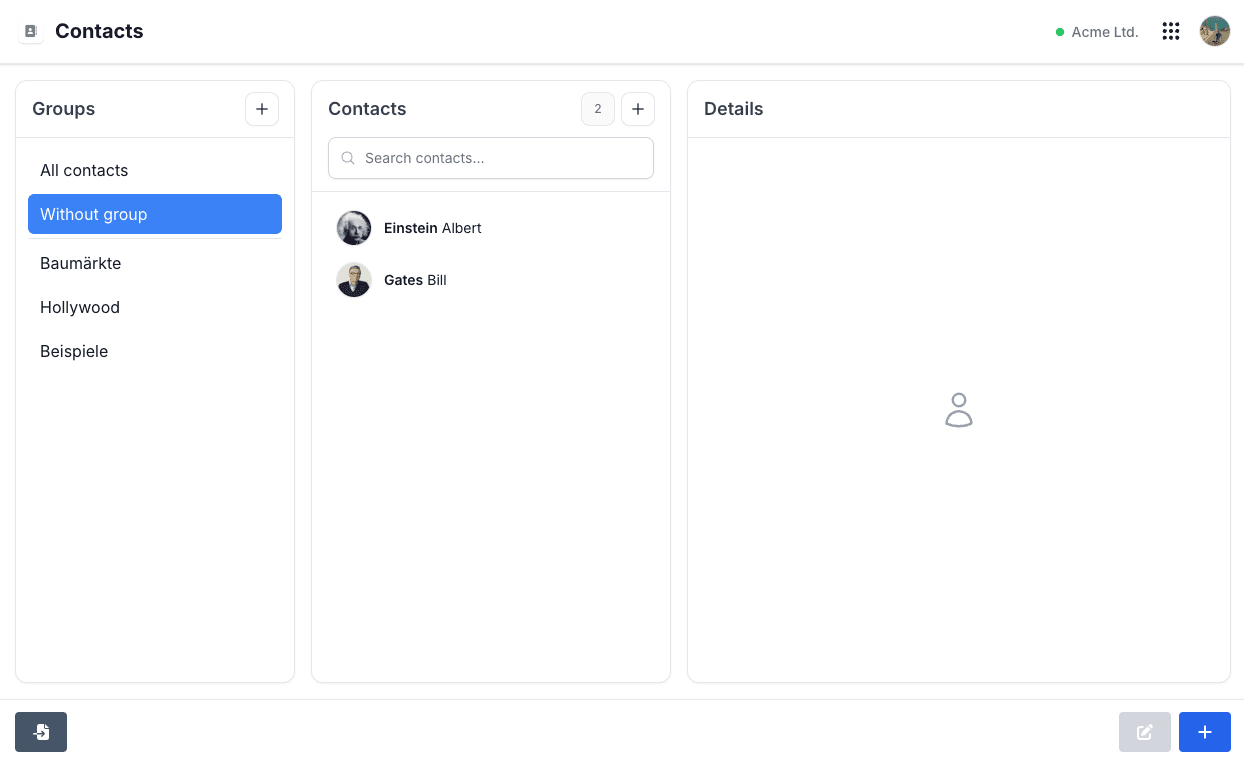
Search, group and select contacts centrally.
Maintain once
Contact data belongs in one shared place.
A central contact base reduces duplicate maintenance and creates a shared foundation for other workflows.
01
Central instead of duplicated
People and companies do not need to be entered again for every process.
02
Organize clearly
Groups and search help keep a growing contact base manageable.
03
Use across workflows
Other Flowtig areas can use the same contact and link their records to it.
More than an address book
The contact becomes the common thread.
A central contact becomes especially useful when it reappears in other applications – for example as the customer on an invoice or as a contact in a construction log.
The contact view can bring these relationships together in a timeline. You see not only who someone is, but also which records that contact appears in.
Einstein stays Einstein.
Whether it's an invoice or a construction log, the record refers to the same centrally maintained contact instead of creating another copy.
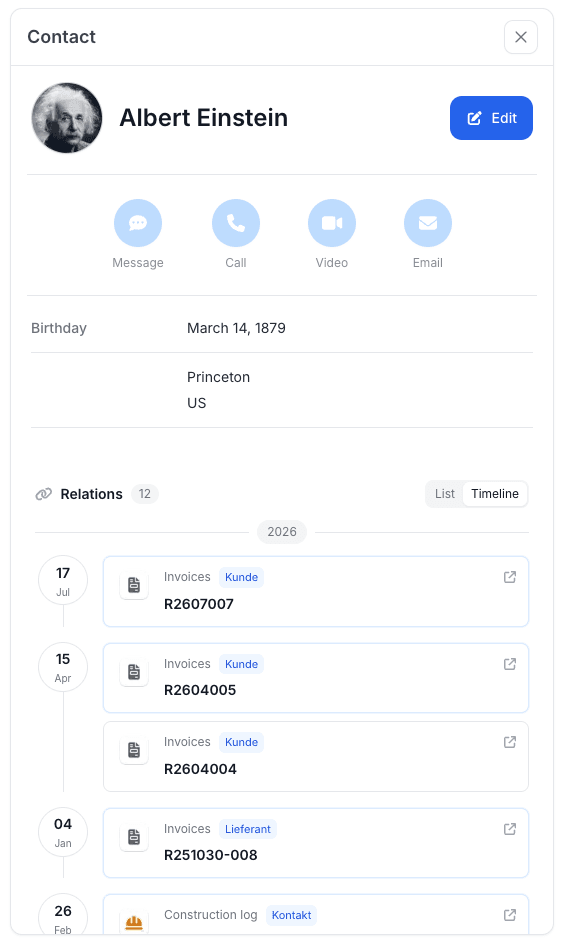
Invoices and other records become visible directly on the contact.
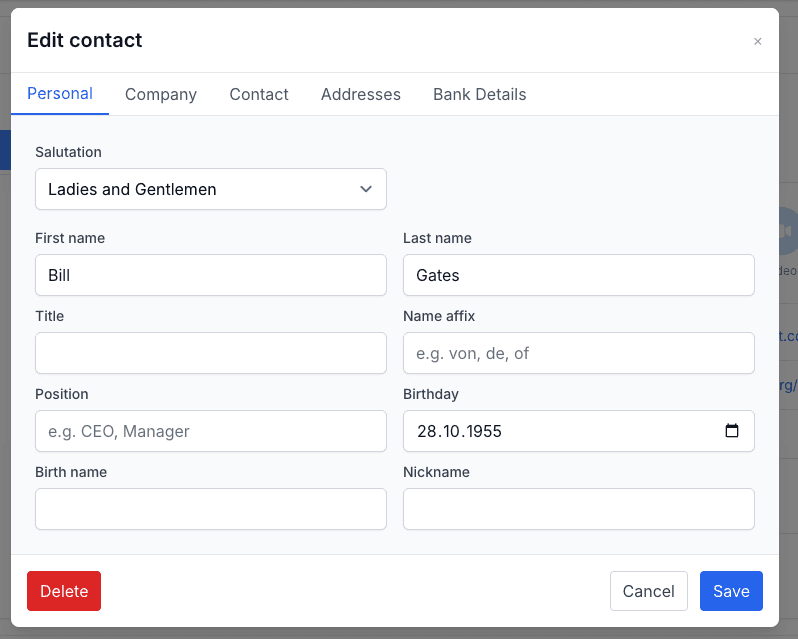
One shared data base
Update the contact – not every copy of it.
Personal details, company data, contact options, addresses and bank details can be maintained on the contact, providing one clear place for master data.
If an address or phone number changes, there is no need to wonder which application contains the current version.
Bring existing contacts
You don't have to start from zero.
Existing contacts can be imported via vCard and assigned directly to an existing or new group if needed. This lets you use an existing contact base as a starting point.
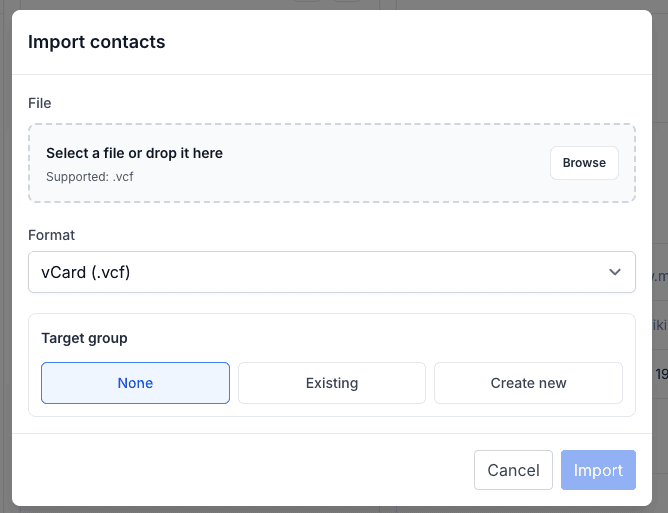
Typical use cases
For contacts you need more than once.
Central contact management is especially useful when the same people or companies appear across multiple workflows.
CustomersSuppliersContactsInvoicesConstruction logsRecurring business relationships
Flowtig Contacts
Create contacts once. Then keep using them.
With Flowtig Contacts, maintain contact data centrally and create a shared foundation for records in other Flowtig applications.
Discover Flowtig Contacts