Send large files
Too large for an email attachment? Send a link instead.
Large images, archives, documents or other files can be shared without squeezing them into an email. Upload the file, configure the share and send the link.
The familiar problem
“Unfortunately, the file is too large.”
Photos, presentations, videos, archives or project files can quickly exceed traditional email attachment limits. Then the search begins for another way to get the file to the recipient.
A download link solves more than the size problem. A managed share can define how long and how often a file is available and show what happened to the share.
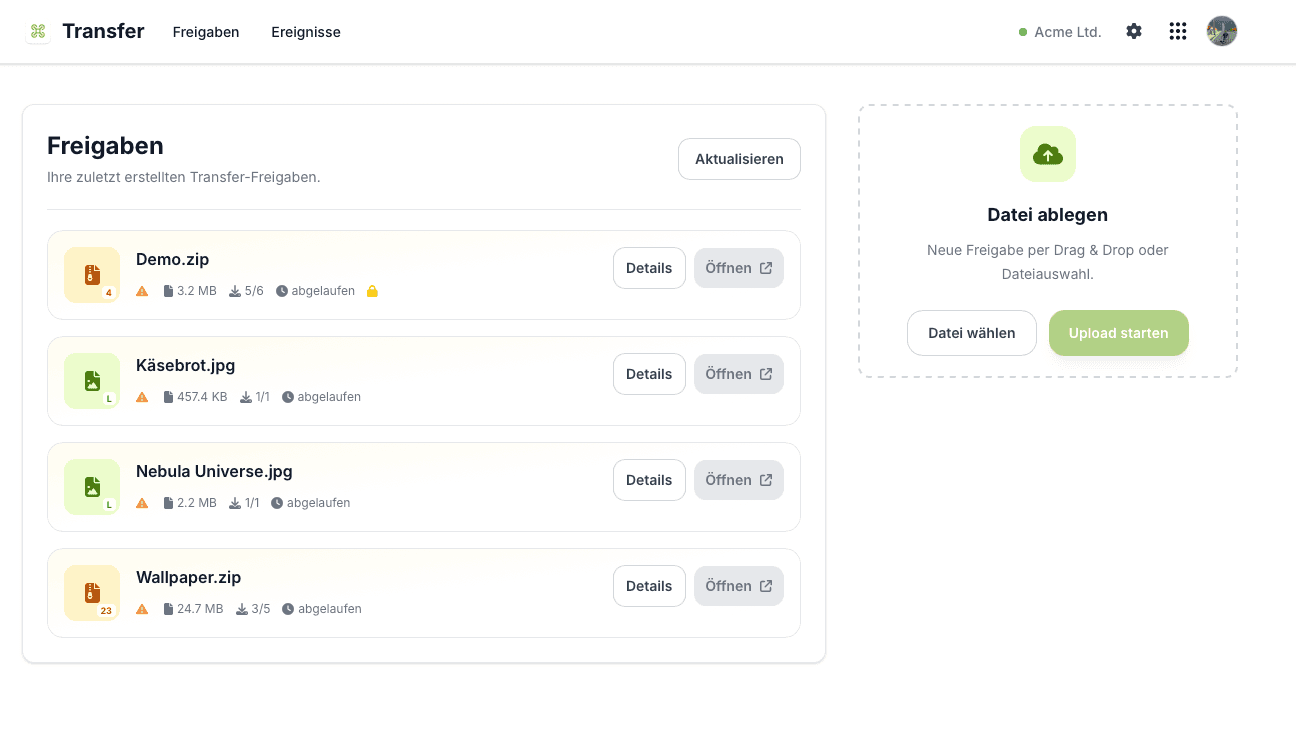
Shares, file size, downloads and expiry in one place.
In three steps
Upload. Share. Done.
The recipient needs neither an email attachment nor access to your internal system.
01
Upload the file
Upload the file to Flowtig Transfer and create a share for it.
02
Configure the share
Define an expiry date, maximum downloads or additional password protection, for example.
03
Send the link
Send the public link to the recipient. The file is then clearly available for download.
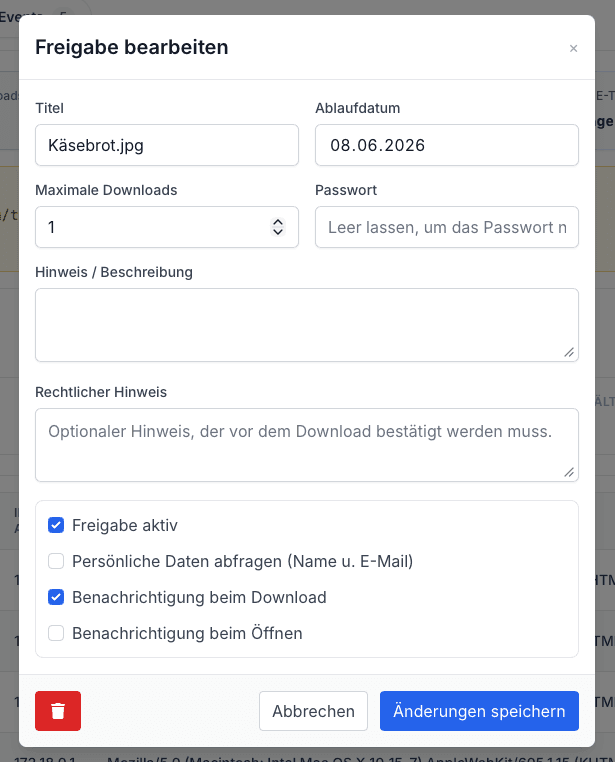
You set the rules
Not every link needs to work forever.
A share can be adapted to its purpose, giving you more control than a permanently accessible file link.
Expiry date and download limit
Define how long the share is available and how many times the file may be downloaded.
Password protection
If needed, protect the share with an additional password.
Notices and notifications
Add information for the recipient and receive notifications when the share is opened or downloaded.
For the recipient
One link. One file. No detour.
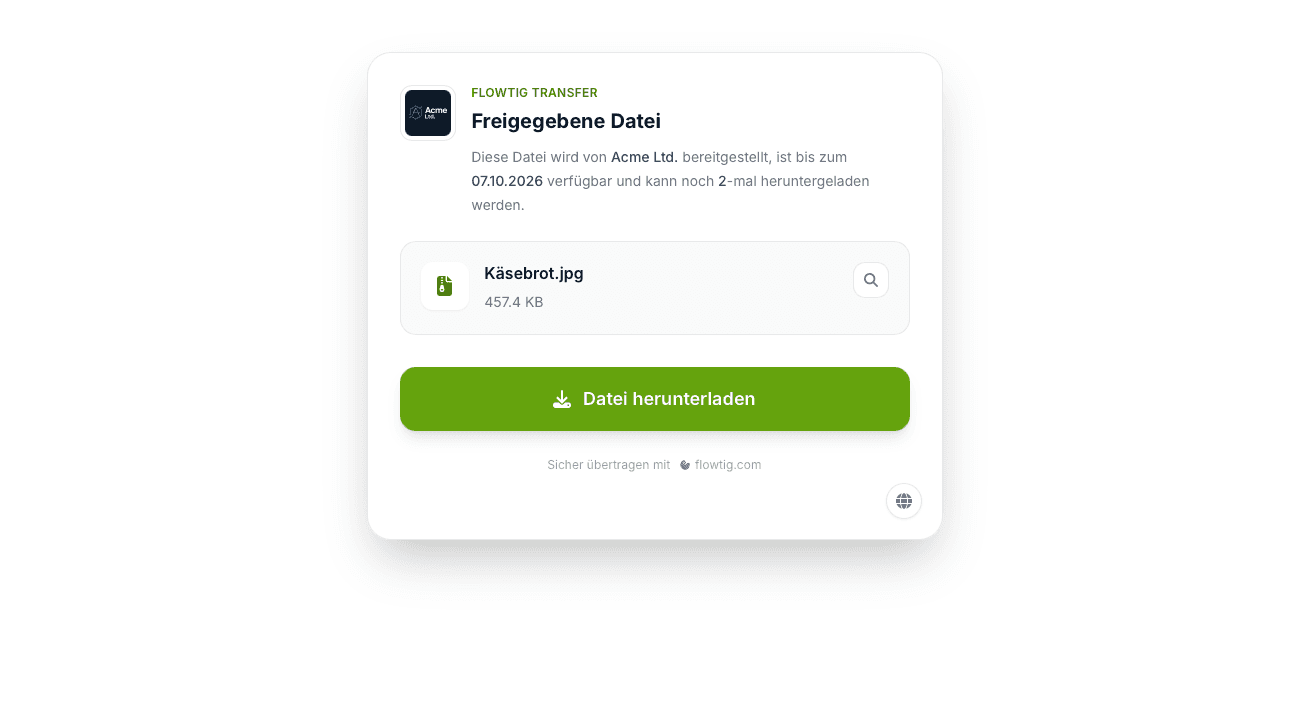
On the public download page, the recipient can see who provides the file, how long it remains available and how many downloads are still possible.
The handover remains deliberately simple: open the link and download the file.
Traceable instead of sent and forgotten
What happened to the share?
Flowtig Transfer brings share events together so you can see whether a share was opened or a file downloaded. You can also see file size, download count, expiry and access protection.
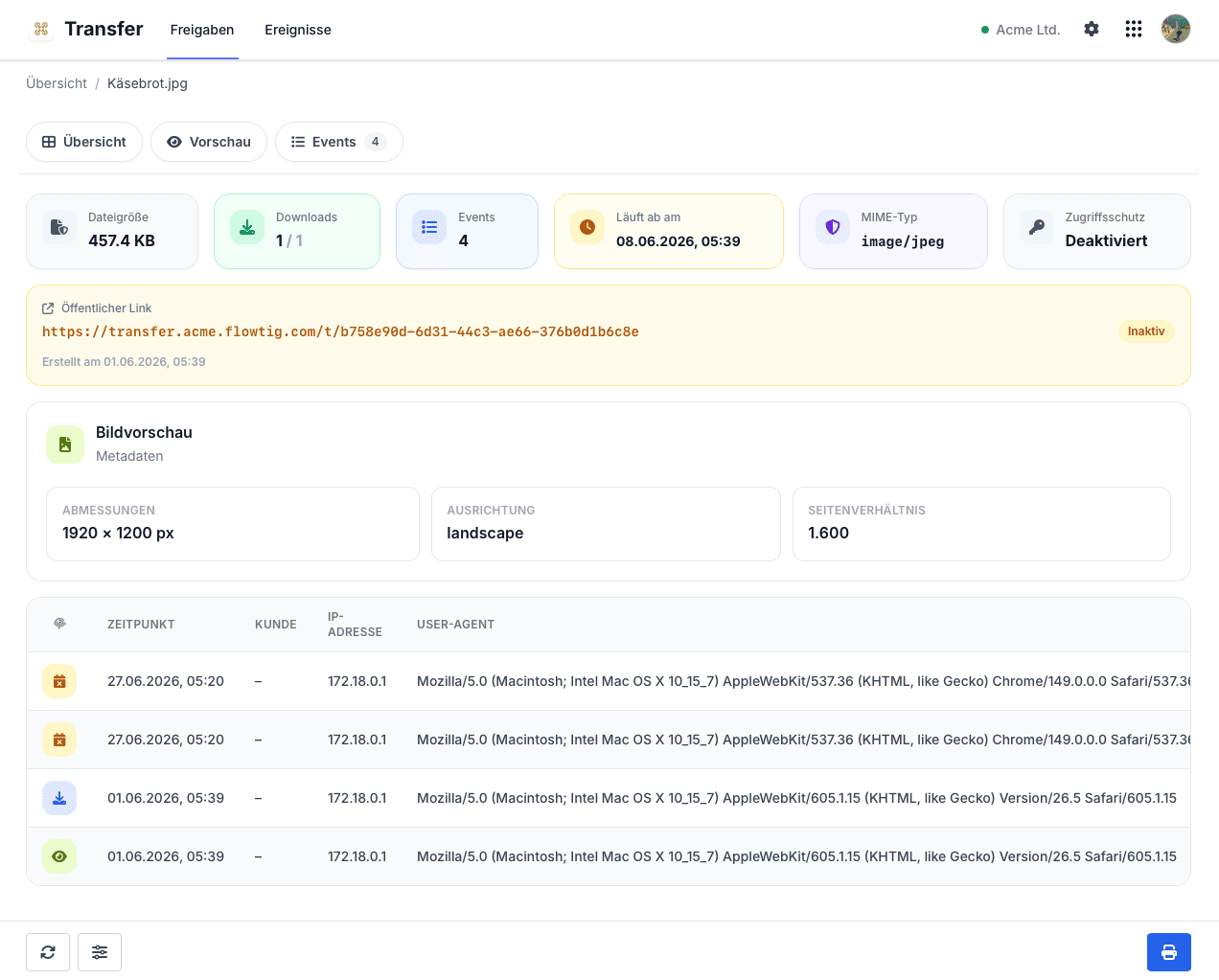
Opening and downloading remain visible as share events.
Typical use cases
When an attachment simply isn't enough.
Transfer is useful wherever files need to be shared externally without making them permanently public.
Large image filesArchives and ZIP filesProject documentsPresentationsFiles for customersTime-limited shares
Flowtig Transfer
Large file? Turn it into a link.
With Flowtig Transfer, share files in a controlled way, limit access when needed and keep track of downloads and events.
Discover Flowtig Transfer