Contacts
One place for every business relationship.
Flowtig Contacts provides a central directory for all people and organisations across the Flowtig platform.
Customers, suppliers, employees, contractors and business partners are managed once and shared across every Flowtig application. Instead of maintaining duplicate contact information in multiple places, every application works with the same up-to-date records.
Why use Contacts?
Business information often becomes scattered across multiple systems.
Questions like these quickly arise:
- Which phone number is the current one?
- Which address should appear on the invoice?
- Who is responsible for this project?
- Which supplier delivered these materials?
- Which employee worked on this task?
Contacts answers these questions by maintaining one shared contact database for the entire organisation.
Overview
With Contacts you can:
- Manage companies and individuals
- Store addresses and contact information
- Organise contacts using categories
- Maintain multiple communication channels
- Record notes and additional information
- Search contacts instantly
- Share contacts across all Flowtig applications
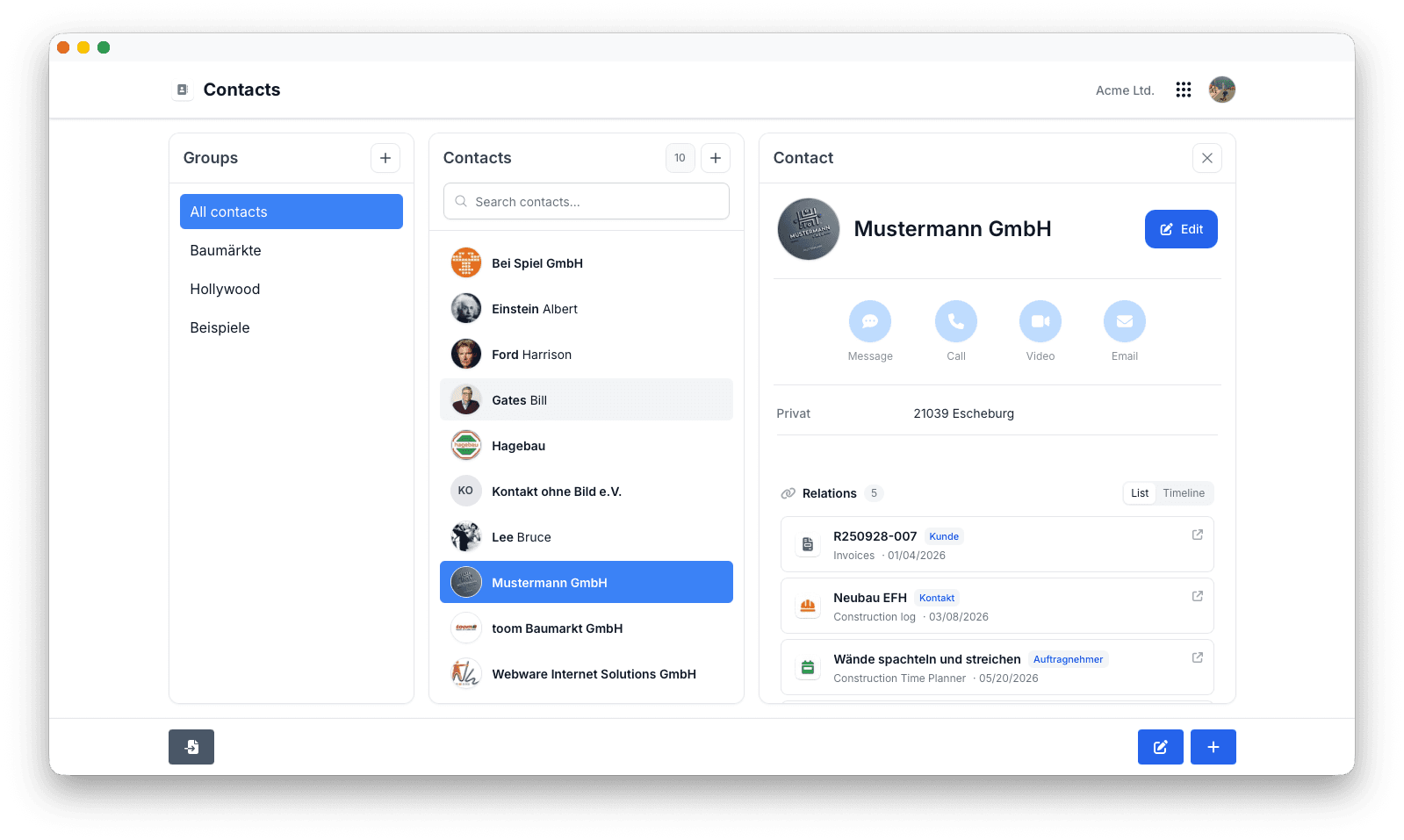
Companies and People
Flowtig supports both organisations and individual contacts.
Typical examples include:
| Contact Type | Example |
|---|---|
| Company | ACME Ltd. |
| Customer | John Miller |
| Supplier | Office Supplies Inc. |
| Employee | Sarah Smith |
| Contractor | ABC Construction |
| Partner | Example Consulting |
Managing every business relationship in one place keeps information consistent throughout the platform.
Contact Information
Each contact can store all important communication details.
Typical information includes:
- Email addresses
- Phone numbers
- Mobile numbers
- Websites
- Notes
Information can easily be expanded over time as new details become available.
Addresses
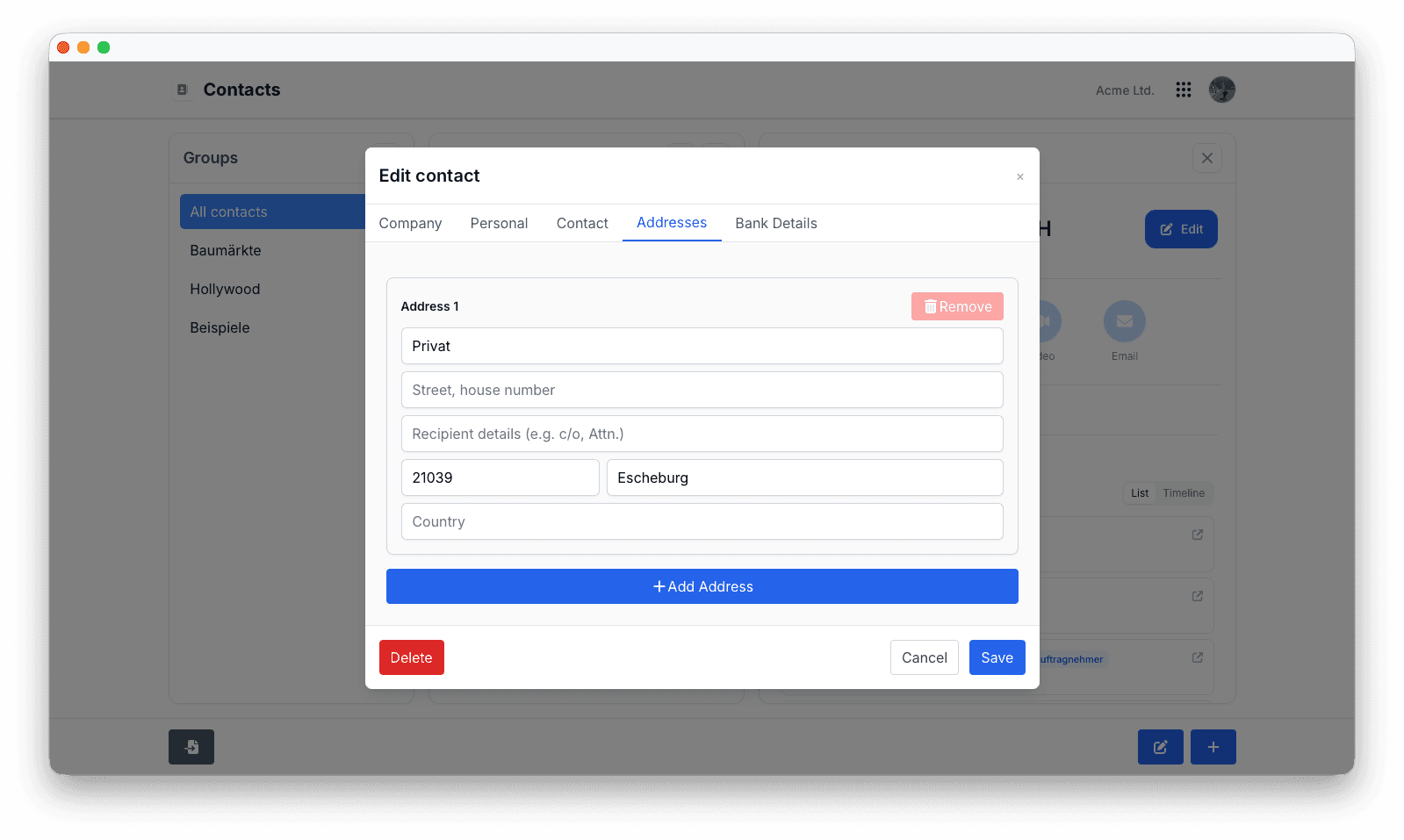
Each contact may contain one or more addresses.
Typical address types include:
- Business address
- Billing address
- Shipping address
- Private address
Addresses are shared automatically with other Flowtig applications whenever required.
Categories
Categories make large contact databases easier to organise.
Typical examples include:
- Customers
- Suppliers
- Employees
- Contractors
- Partners
- Prospects
Categories simplify searching, filtering and reporting.
Search
Finding contacts is fast and straightforward.
Typical search criteria include:
- Name
- Company
- Email address
- Phone number
- Address
- Category
Shared Across Flowtig
One of the biggest advantages of Contacts is that information only needs to be entered once.
Other Flowtig applications automatically reuse the same contact information whenever it is needed.
| App | Usage |
|---|---|
| Invoices | Customers and invoice recipients |
| Worktime | Employees |
| Calendar | Event participants |
| Transfer | File recipients |
| Commissions | Commission partners and participants |
| Construction Log | Contractors and subcontractors |
| Construction Time Planner | Project stakeholders |
| Real Estate | Property owners and contacts |
No duplicate data.
No synchronisation.
One shared source of truth.
Permissions
Contacts uses Flowtig's central permission system.
Typical permissions include:
| Permission | Description |
|---|---|
| View contacts | Browse existing contacts |
| Create contacts | Add new contacts |
| Edit contacts | Modify contact information |
| Delete contacts | Remove contacts |
| Manage categories | Organise contact groups |
Permissions can be assigned independently, allowing organisations to control exactly who may manage contact information.
Best Practices
Frequently Asked Questions
Can I manage both companies and private contacts?
Yes.
Flowtig supports organisations as well as individual contacts.
Can contacts be reused across different applications?
Yes.
Once created, contacts can be referenced throughout the entire Flowtig platform.
Can multiple addresses be stored?
Yes.
Each contact can contain multiple addresses for different purposes.
Can contacts be organised into categories?
Yes.
Categories make it easy to organise, filter and search large numbers of contacts.
Can I quickly find existing contacts?
Absolutely.
Flowtig provides fast searching across names, companies, communication details and addresses.
See also
Contacts works particularly well together with:
- Invoices
- Worktime
- Calendar
- Transfer
- Commissions
- Construction Log
- Construction Time Planner
- Real Estate
Need help?
Need assistance with Contacts?
Learn more on the Flowtig website or contact our support team: