Invoice Archive
Store, validate and access electronic invoices in one central archive.
Flowtig Invoice Archive helps organisations manage incoming invoices in a structured, searchable and standards-compliant way.
Whether you receive invoices as PDF, XRechnung or UBL documents, every invoice is archived together with its extracted metadata, allowing you to find, review and validate invoices long after they have been received.
Instead of searching through email folders or shared drives, Invoice Archive provides one central location for your incoming invoices.
Why use Invoice Archive?
Organisations often receive invoices through many different channels.
Typical questions include:
- Where is this invoice?
- Have we already received this invoice?
- Which supplier sent this invoice?
- Is this XRechnung valid?
- Can I read this electronic invoice without special software?
Invoice Archive answers these questions by creating one searchable archive for all incoming invoices.
Overview
With Invoice Archive you can:
- Archive PDF invoices
- Archive XRechnung documents
- Archive UBL invoices
- Validate structured invoices
- Extract invoice metadata
- Search archived invoices
- Preview electronic invoices directly in your browser
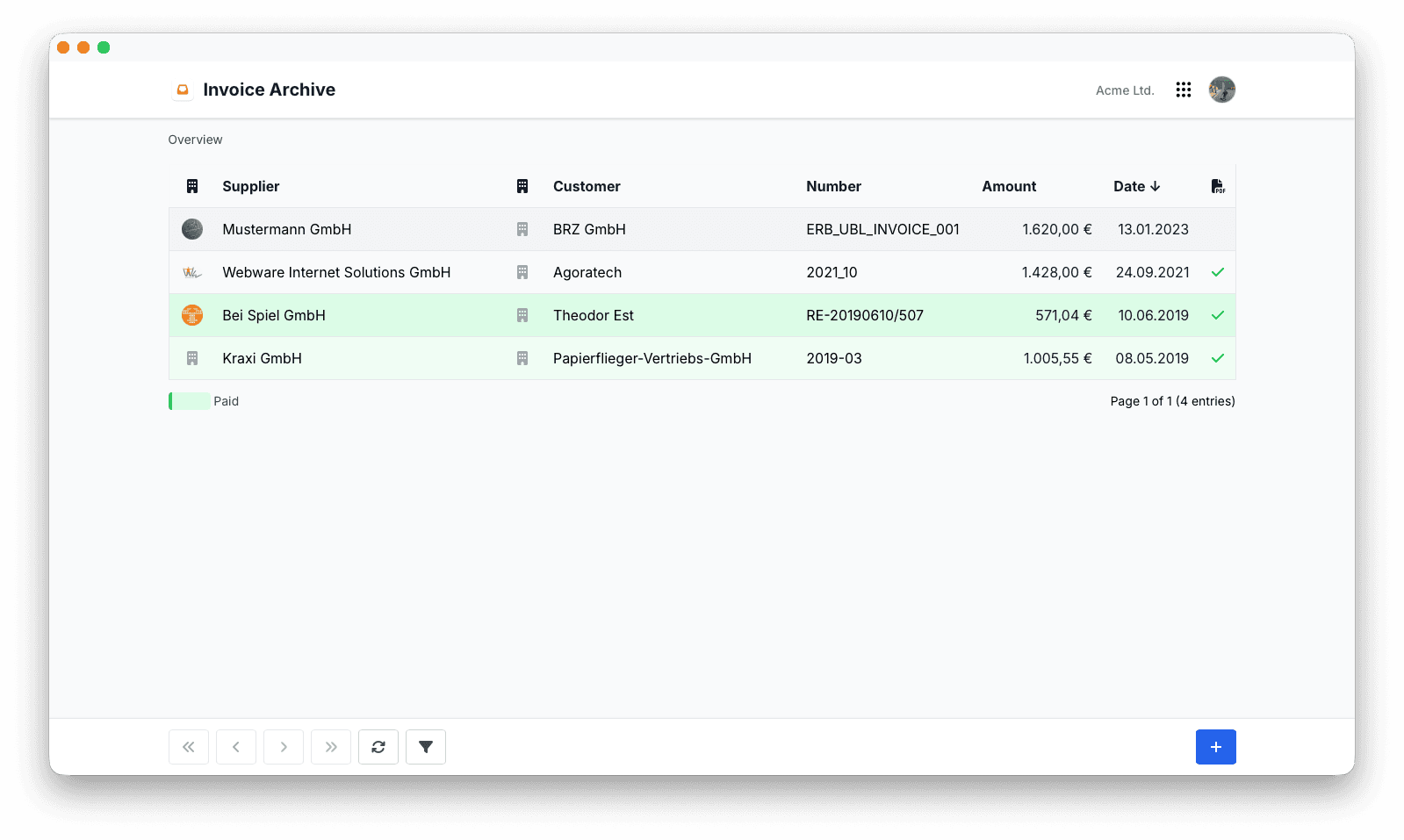
Importing Invoices
Invoices can be imported into the archive and are processed automatically.
Supported formats include:
- XRechnung
- UBL
During import, Flowtig analyses every document and extracts available information for later searching and reporting.
Invoice Validation
Structured electronic invoices can be validated during import.
Validation helps identify malformed or incomplete invoice documents before they enter your accounting workflow.
Metadata Extraction
Invoice Archive extracts important information directly from supported invoice formats.
Typical metadata includes:
- Invoice number
- Supplier
- Customer
- Invoice date
- Due date
- Total amount
- Currency
Extracted metadata makes invoices significantly easier to search and organise.
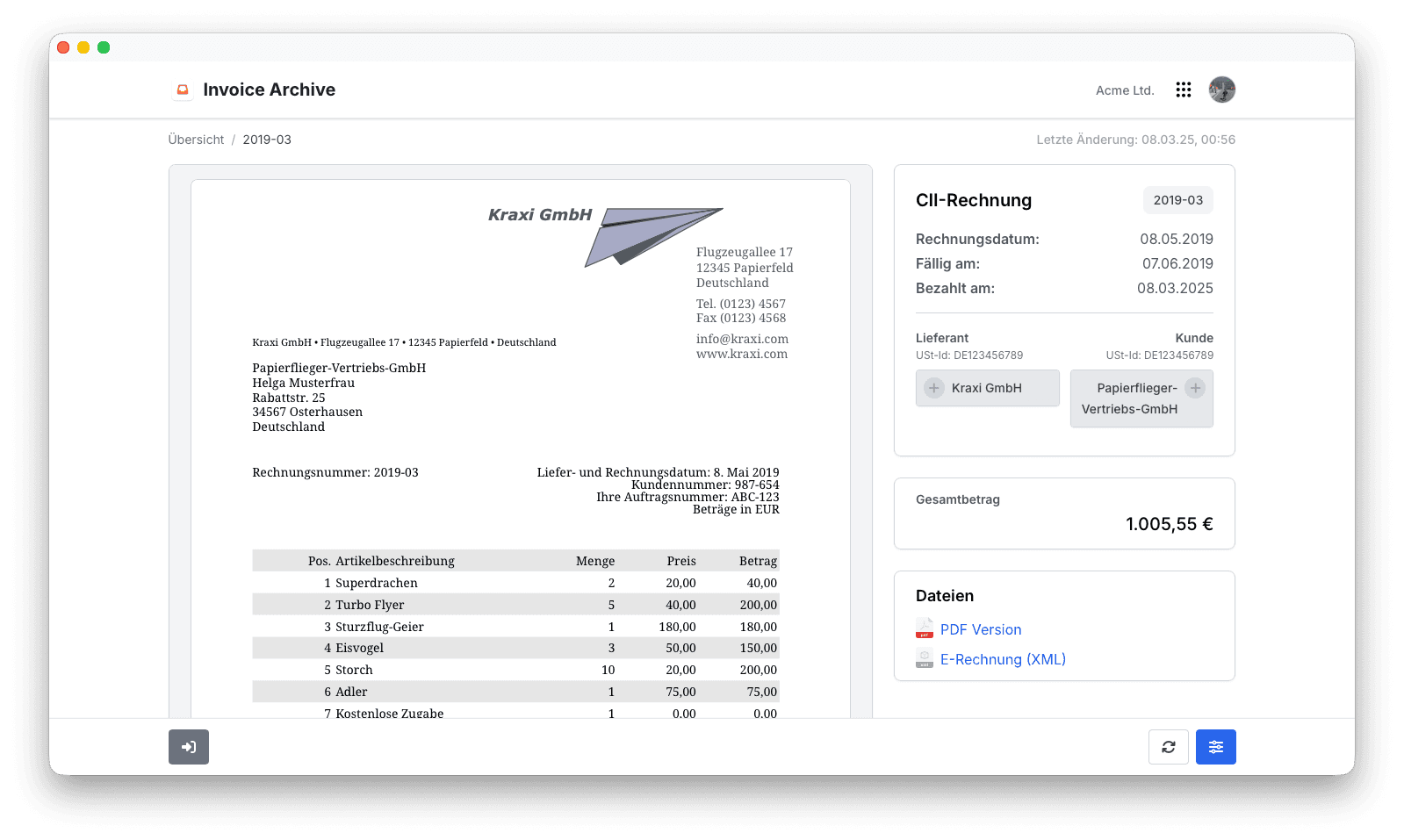
Invoice Preview
Formats such as XRechnung and UBL are designed for machine processing rather than human reading.
Invoice Archive automatically generates a clean HTML preview, allowing invoices to be reviewed directly in the browser without additional software.
Search
Archived invoices remain fully searchable.
Typical search criteria include:
- Invoice number
- Supplier
- Customer
- Invoice date
- Due date
- Amount
Historical invoices remain easy to locate, even years after they were received.
Long-Term Archive
Invoice Archive preserves both the original invoice document and its extracted metadata.
This provides organisations with a reliable archive that remains useful for accounting, audits and future reference.
Permissions
Invoice Archive uses Flowtig's central permission system.
Typical permissions include:
| Permission | Description |
|---|---|
| View invoices | Browse archived invoices |
| Import invoices | Add new invoices |
| Delete invoices | Remove archived invoices |
| View metadata | Access extracted invoice information |
Permissions can be assigned independently, ensuring organisations maintain full control over invoice access.
Best Practices
Integrations
Invoice Archive integrates naturally with other Flowtig applications.
| App | Integration |
|---|---|
| Invoices | Compare incoming and outgoing invoices |
| Contacts | Suppliers and customers |
| Transfer | Secure invoice exchange |
As additional accounting features become available, further integrations will be introduced.
Frequently Asked Questions
Which invoice formats are supported?
Invoice Archive currently supports:
- XRechnung
- UBL
Are electronic invoices validated?
Yes.
Supported structured invoice formats can be validated automatically during import.
Can invoice metadata be searched?
Absolutely.
Extracted metadata allows invoices to be found quickly using common search criteria.
Can electronic invoices be viewed inside the browser?
Yes.
Invoice Archive automatically generates an HTML preview for supported structured invoice formats.
Is the original invoice preserved?
Yes.
The original invoice document remains stored together with its extracted metadata.
Typical Workflow
Receive Invoice
        │
        ▼
Import Invoice
        │
        ▼
Validate Structure
        │
        ▼
Extract Metadata
        │
        ▼
Preview & Archive
        │
        ▼
Search Anytime
See also
Invoice Archive works particularly well together with:
Need help?
Need assistance with Invoice Archive?
Learn more on the Flowtig website or contact our support team: