Invoices
From quotation to payment — manage your complete invoicing workflow.
Flowtig Invoices helps organisations create, manage and track quotations and invoices throughout their entire lifecycle.
From the first quotation to the final payment, every document remains organised, searchable and connected to the rest of the Flowtig platform. Whether you're sending a single invoice or managing recurring billing, Flowtig keeps your invoicing process structured and transparent.
Designed for freelancers, agencies and growing businesses alike, Invoices integrates seamlessly with Contacts and other Flowtig applications.
Why use Invoices?
Every organisation relies on a structured invoicing process.
Typical questions include:
- Which quotations are still awaiting approval?
- Which invoices have already been paid?
- Which payments are overdue?
- Which customer generated the highest revenue?
- How can recurring invoices be automated?
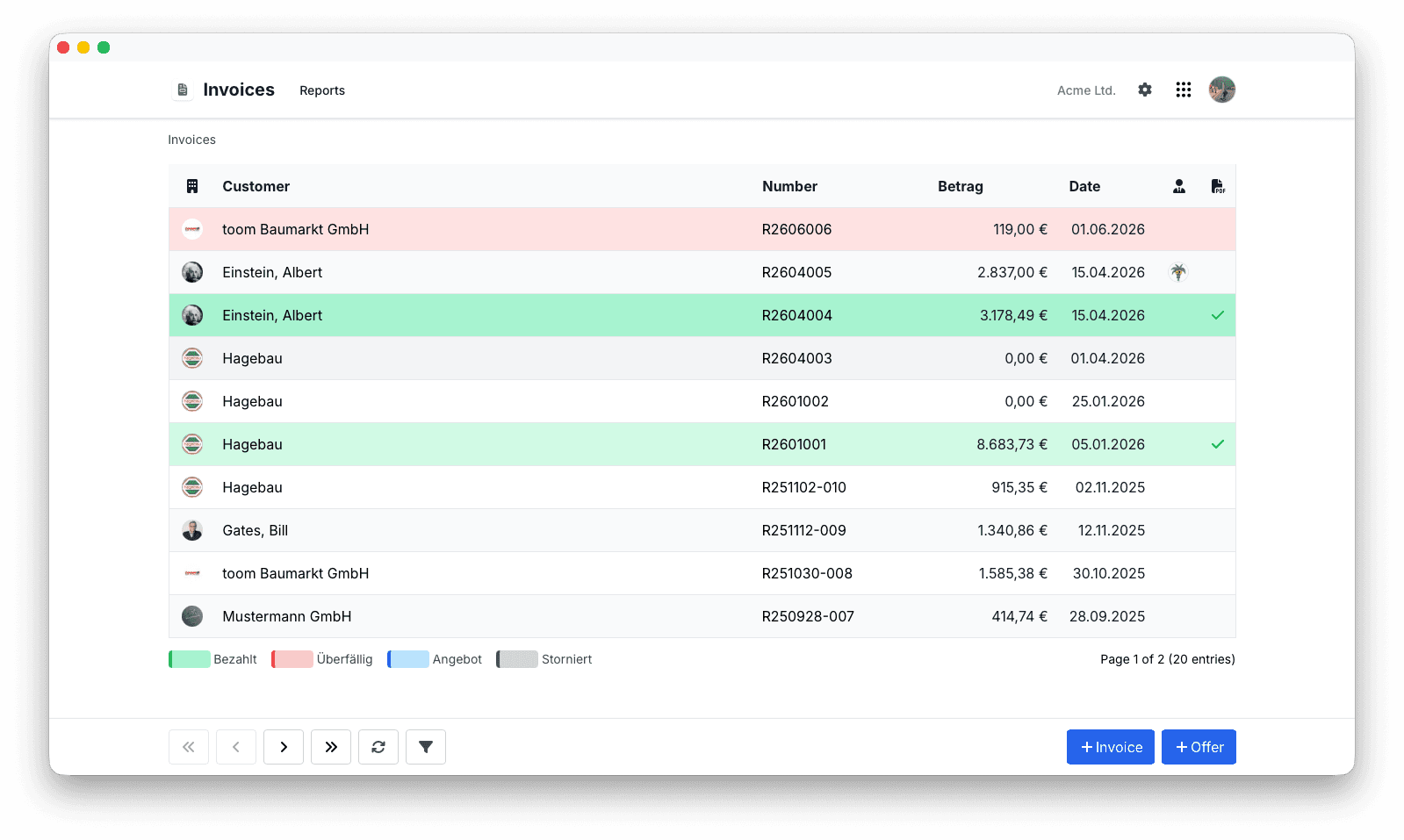
Invoices provides a complete overview of your sales and billing process.
Overview
With Invoices you can:
- Create professional quotations
- Convert quotations into invoices
- Generate PDF invoices
- Export electronic invoices
- Track invoice status
- Record incoming payments
- Create recurring invoices
- Review invoice history
Quotations
Many business relationships begin with a quotation.
Flowtig allows quotations to be created, reviewed and converted into invoices without entering the same information twice.
Typical workflow:
Quotation
      │
      ▼
Accepted
      │
      ▼
Invoice
This reduces duplicate work while keeping the sales process transparent.
Creating Invoices
Creating an invoice starts with selecting a customer.
Invoice information typically includes:
- Invoice items
- Quantities
- Unit prices
- Taxes
- Discounts
- Notes
Flowtig automatically calculates totals, taxes and invoice amounts while you work.
Invoice Items
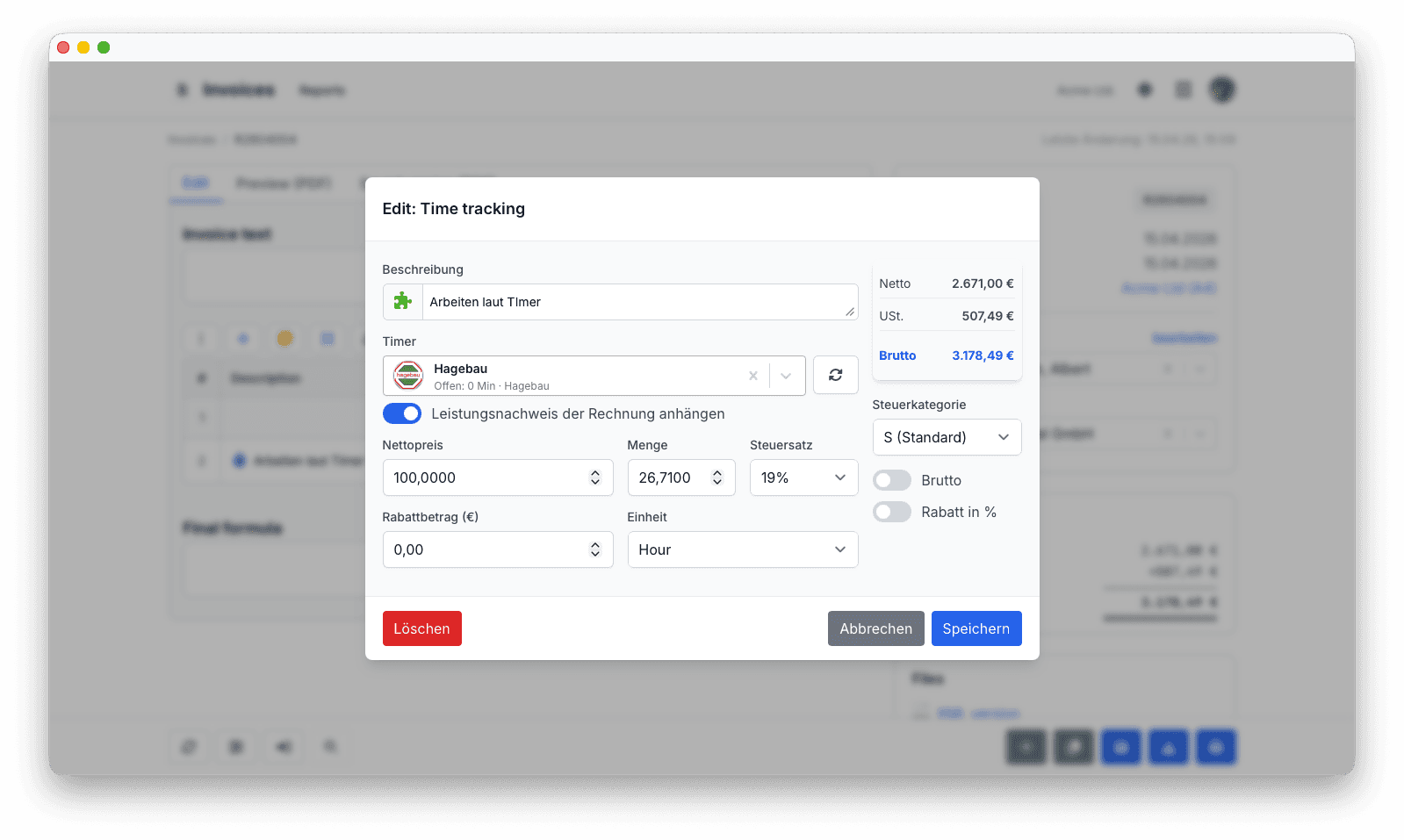
Invoices consist of one or more invoice items.
Each item may include:
- Description
- Quantity
- Unit
- Unit price
- Tax rate
- Discount
Whenever an item changes, invoice totals are recalculated automatically.
Invoice Lifecycle
Every invoice progresses through a clearly defined lifecycle.
Typical statuses include:
| Status | Description |
|---|---|
| Draft | Invoice is being prepared |
| Sent | Invoice has been delivered |
| Paid | Payment has been received |
| Overdue | Payment deadline has passed |
| Cancelled | Invoice is no longer valid |
Status tracking provides a clear overview of invoices requiring attention.
Electronic Invoices
Flowtig supports modern electronic invoice standards.
Supported formats include:
- ZUGFeRD
- XRechnung
Electronic invoices simplify digital invoice exchange and support compliance with current legal requirements.
PDF Generation
Professional PDF invoices can be generated with a single click.
Generated documents typically include:
- Company information
- Customer details
- Invoice items
- Tax summary
- Payment information
This creates a consistent and professional appearance for every invoice.
Recurring Invoices
Recurring billing helps automate regular business processes.
Typical examples include:
- Monthly subscriptions
- Maintenance contracts
- Hosting services
- Service agreements
- Consulting retainers
Recurring invoices reduce manual work while ensuring invoices are generated on time.
Payments
Invoices remain visible throughout their payment lifecycle.
Typical information includes:
- Payment status
- Due date
- Outstanding balance
- Payment history
This provides organisations with a reliable overview of receivables and outstanding payments.
Customer Integration
Invoices integrates directly with Contacts.
Every invoice references a shared customer record, ensuring addresses and communication details remain consistent throughout the platform.
Invoice History
Every quotation and invoice remains available after completion.
Historical data makes it easy to answer questions such as:
- Which invoices were sent last month?
- How much revenue was generated this year?
- Which customer purchased this service?
- When was this invoice paid?
Keeping historical invoice data available supports accounting, customer service and long-term reporting.
Permissions
Invoices uses Flowtig's central permission system.
Typical permissions include:
| Permission | Description |
|---|---|
| View invoices | Browse invoices |
| Create invoices | Create quotations and invoices |
| Edit invoices | Modify existing documents |
| Delete invoices | Remove invoices |
| Send invoices | Deliver invoices to customers |
Permissions can be assigned independently, allowing organisations to control exactly who may manage invoicing.
Best Practices
Integrations
Invoices integrates naturally with other Flowtig applications.
| App | Integration |
|---|---|
| Contacts | Customer management |
| Transfer | Secure invoice delivery |
| Calendar | Due dates and payment reminders |
| Invoice Archive | Incoming invoice management |
As the Flowtig platform grows, additional accounting integrations will become available.
Frequently Asked Questions
Can quotations be converted into invoices?
Yes.
Accepted quotations can be converted into invoices without re-entering information.
Can invoices be exported as PDF?
Yes.
Professional PDF invoices can be generated directly inside Flowtig.
Are electronic invoices supported?
Yes.
Flowtig supports both ZUGFeRD and XRechnung.
Can recurring invoices be created?
Absolutely.
Recurring invoices help automate regular billing processes.
Can payments be tracked?
Yes.
Invoices provides a complete overview of payment status, due dates and outstanding balances.
Typical Workflow
Create Customer
        │
        ▼
Create Quotation
        │
        ▼
Convert to Invoice
        │
        ▼
Send Invoice
        │
        ▼
Track Payment
        │
        ▼
Invoice History
See also
Invoices works particularly well together with:
Need help?
Need assistance with Invoices?
Learn more on the Flowtig website or contact our support team: